See exactly where personal data lives
Point it at a folder or a network drive, press Scan, and review every file that likely holds personal or sensitive information — with a confidence score for each finding.
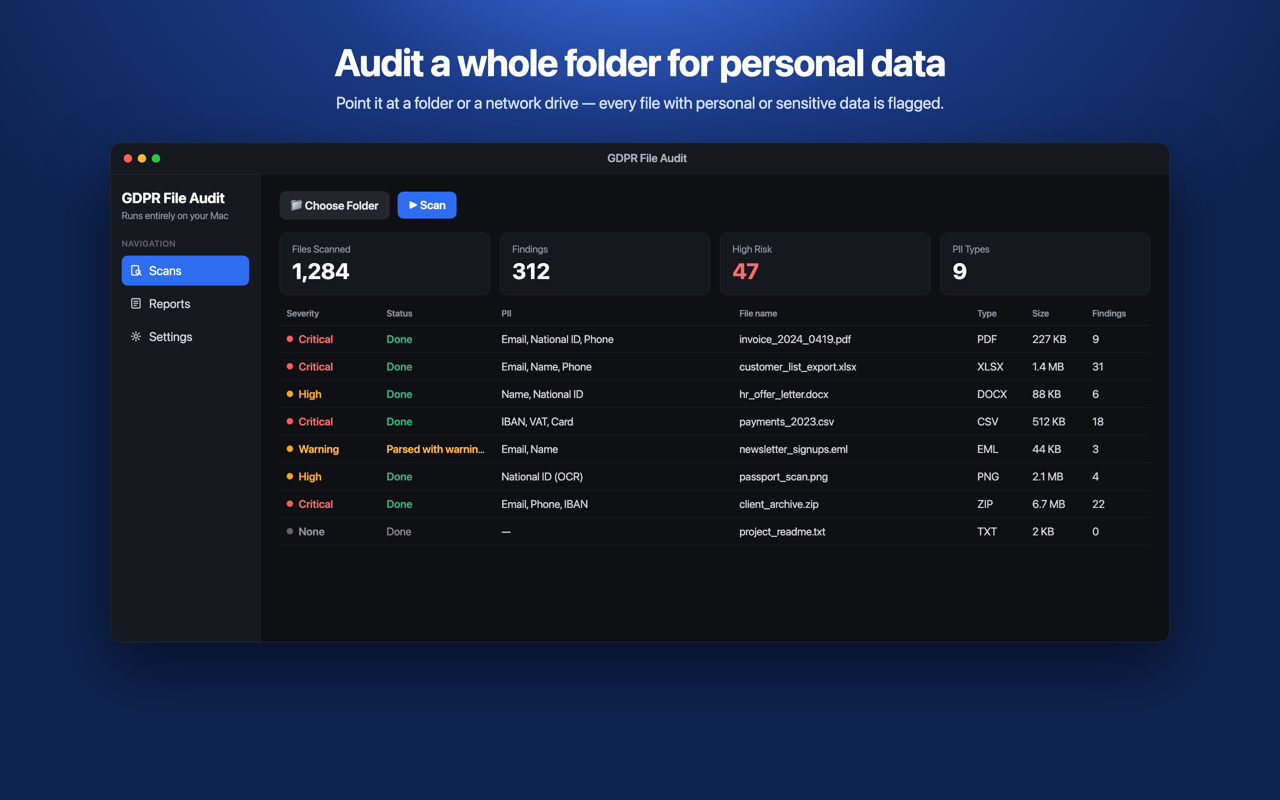
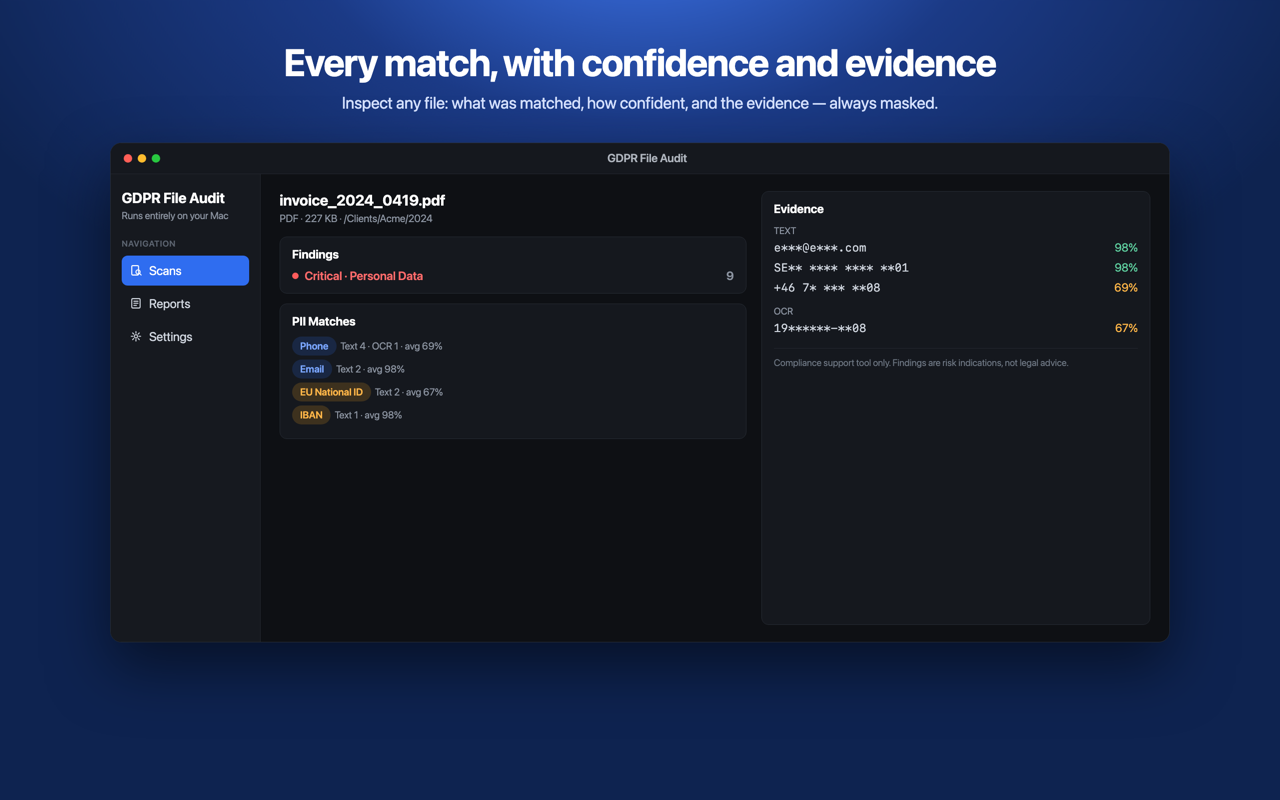
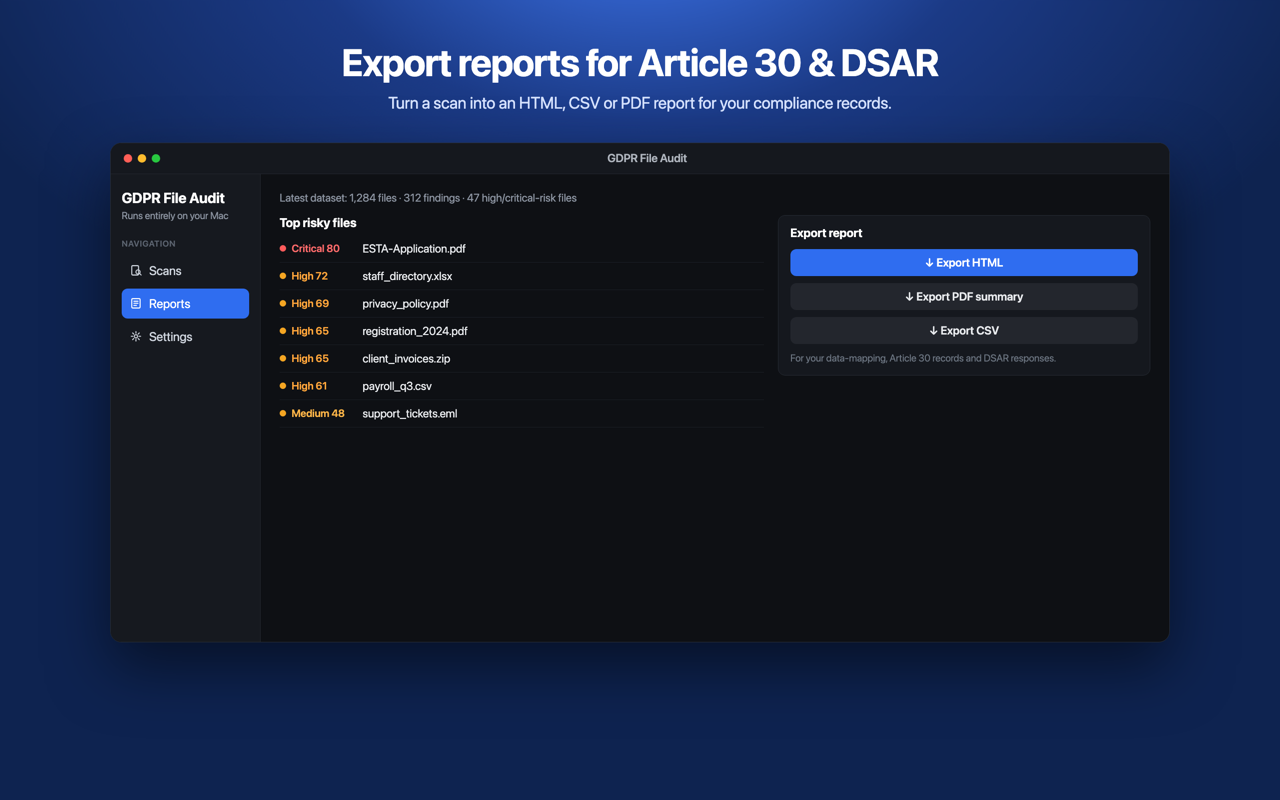
GDPR File Audit scans whole folders and network drives for personal and sensitive data, then lets you export a report for your data mapping, Article 30 records and DSARs. Everything runs on your Mac.
Point it at a folder or a network drive, press Scan, and review every file that likely holds personal or sensitive information — with a confidence score for each finding.
Pattern matching, checksum validation and on-device OCR surface personal data across your files.
Names, e-mail addresses and phone numbers.
Including Swedish personnummer, Danish CPR and Finnish HETU.
Credit-card numbers (Luhn-validated), IBAN and VAT numbers.
Indicators of GDPR Article 9 and criminal-offence (Article 10) data.
Not a "check one file" tool — audit everything and produce documentation.
Discover where personal data actually lives across your folders and drives.
Export findings to support your records of processing activities.
Locate a subject's data across files when responding to access requests.
Validated on tens of thousands of files, with safe-mode for large or network scans.
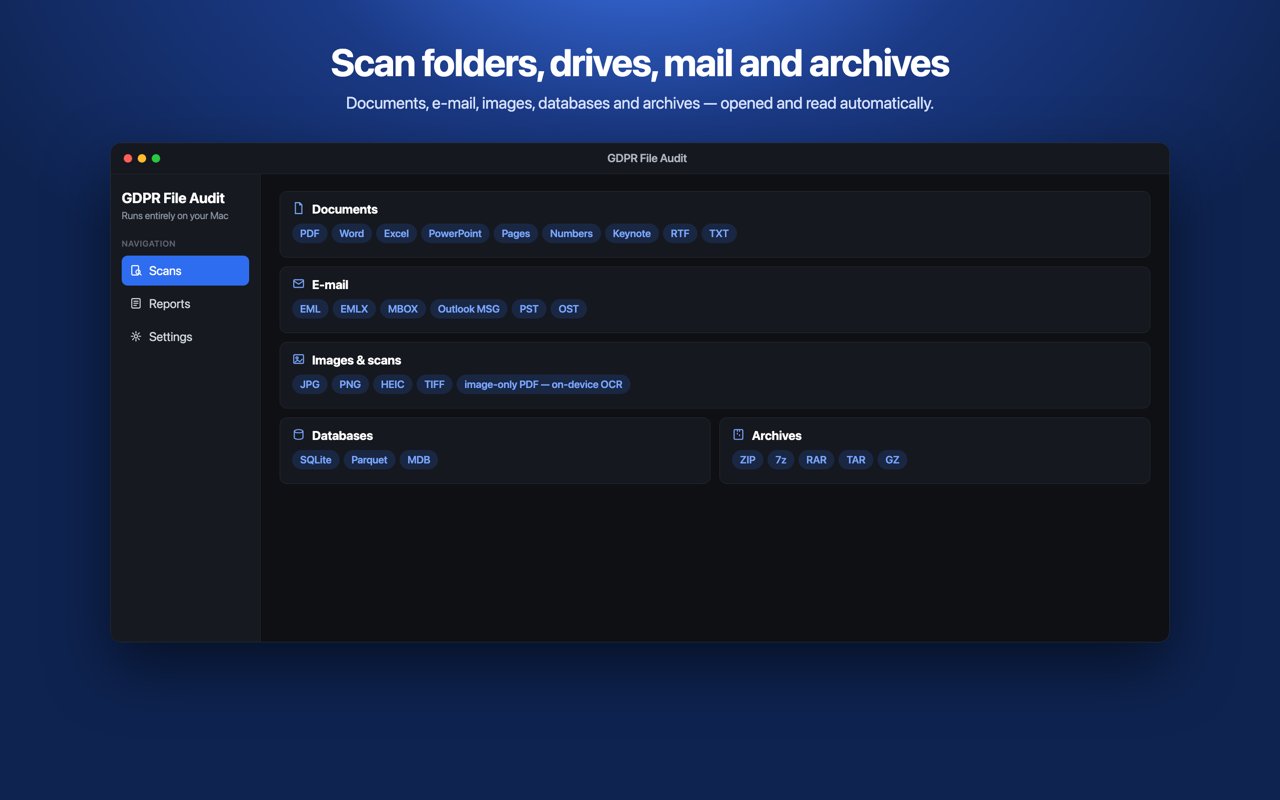
| Category | Formats |
|---|---|
| Documents | PDF · Word · Excel · PowerPoint (incl. legacy) · OpenDocument · Pages / Numbers / Keynote · RTF · text |
| EML · EMLX · MBOX · Outlook MSG / PST / OST | |
| Images | JPG · PNG · HEIC · TIFF · image-only PDFs (on-device OCR) |
| Databases | SQLite · Parquet · Access |
| Archives | ZIP · 7z · RAR · TAR · GZ — opened automatically |
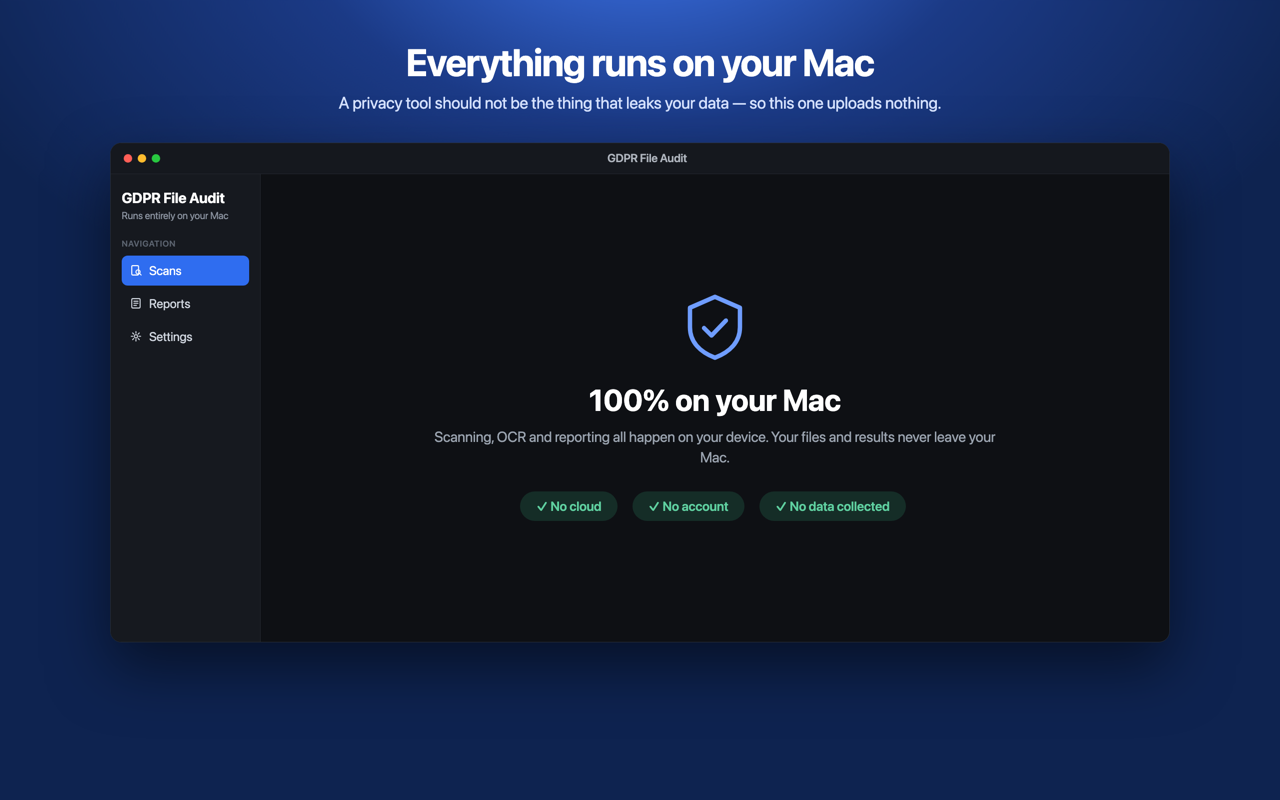
A privacy tool should not be the thing that leaks your data. Scanning, OCR and reporting all happen on your Mac — your files and results never leave your device. No cloud, no account, no analytics, no tracking.
No. Scanning, OCR and reporting all happen locally on your Mac, and the app has no permission to reach the network.
Scan any folder and see the totals plus the first 10 flagged files for free. A one-time Pro unlock (no subscription) reveals every result, the full file inspector, and HTML/CSV/PDF report export.
There is no fixed limit — point it at an entire folder or drive. It has been validated scanning tens of thousands of files in a single pass.
No. GDPR File Audit is a detection and reporting aid. It uses heuristic detection and may produce false positives and false negatives. It does not make you compliant and is not legal advice — it helps you find candidates so you can decide what to do.
macOS 14 (Sonoma) or later. Apple silicon and Intel Macs.
Free to try. One-time Pro unlock — no subscription.
Download on the Mac App StoreGDPR File Audit is a detection and reporting aid that helps you locate likely personal data in your files. It uses heuristic detection and may produce false positives and false negatives. It does not guarantee compliance with the GDPR or any other regulation and does not constitute legal advice. You remain responsible for assessing and acting on its findings.