Production Data on Developer Macs — The PII Leak Nobody Reviews
Every organisation has a story about the spreadsheet. Someone in Finance kept a customer list on their desktop, it got found in an audit, there was an awkward meeting.
Almost nobody has a story about the database dump. And yet, on any given engineering team’s laptops, there is more real customer data than the Finance department has ever touched — pulled deliberately, by competent people, for entirely legitimate reasons, and then simply never removed.
Developer machines are the least-audited, highest-density store of production personal data in most companies. Not because engineers are careless, but because the entire toolchain of debugging is built around getting real data onto your machine and looking at it, and nothing in that toolchain is built around getting rid of it afterwards.
How it gets there — every path is a reasonable one
The reason this is hard to fix by telling people off is that no single step in the chain is unreasonable.
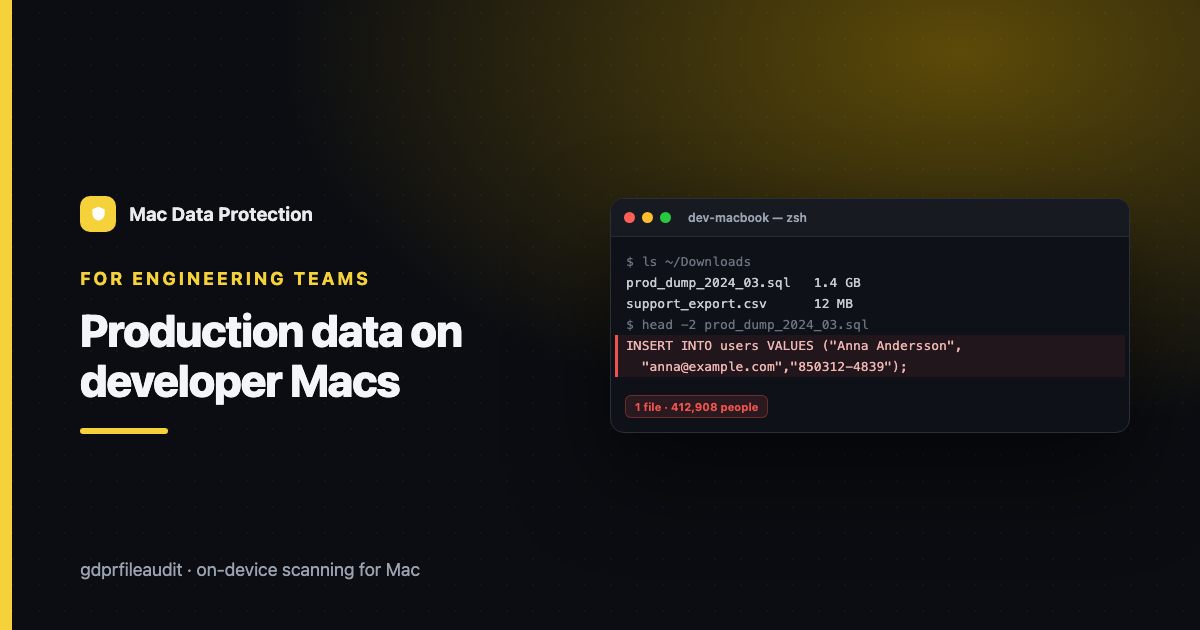
The production dump. A bug only reproduces with real data. The staging seed data is synthetic and doesn’t have the weird edge cases. So you pull a snapshot — anonymised if you’re lucky, and often not, because anonymising it properly would take a day and the incident is happening now. ~/Downloads/prod_dump_2024_03.sql. It contains every customer, with their emails, phone numbers, addresses, and whatever national ID or payment references your schema carries.
The support escalation. A customer has a problem. Support attaches their account export to the ticket. The engineer downloads it to look at it. It contains that customer’s real personal data, and it is now in Downloads, and the ticket was closed nine months ago.
The log file. Someone was debugging a request failure, so they grabbed the raw logs. Production logs are full of personal data — email addresses in request bodies, names in error strings, sometimes tokens and identifiers that were never supposed to be logged at all. Nobody reads a log file and thinks “this is a personal data repository.” It is.
The screenshot. The single most under-appreciated one. An engineer screenshots the admin panel to show a colleague a rendering bug, and the screenshot contains twenty real customers, by name, with their subscription status and their email addresses. It is now in ~/Desktop, it is now in Slack, and because it is a PNG, no text search will ever find it.
The CSV for the one-off analysis. “Can you get me a list of everyone who did X?” Query, export, share, forget. The CSV outlives the question by years.
The test fixture that isn’t synthetic. Somebody, at some point, built the test fixtures by copying a slice of production. It got committed. It’s in the repo. It’s now on the laptop of every engineer who has ever cloned it, and it will be there forever, because git does not forget.
Look at that list and notice the shape: every single one is a professional doing their job properly. There is no villain here. There is a systemic gap, which is that the entire flow is optimised for getting data in, and there is no corresponding flow for getting it out.
Why it’s worse than the Finance spreadsheet
Three reasons, and they compound.
Volume. The Finance spreadsheet has four hundred rows. The prod dump has four hundred thousand. If a developer laptop is lost or compromised, the exposure is not one department’s contact list; it is a material fraction of your entire customer base, in structured, machine-readable form, ready to use.
Invisibility. Nobody thinks of a .sql file as a document. It doesn’t look like personal data — it looks like infrastructure. It sits in a folder called Downloads next to a Homebrew installer and a PDF invoice, and it attracts no attention from anyone, including its owner, who forgot it existed within a week of the incident being closed.
Nobody audits engineering. When compliance goes looking for personal data, they go to HR, Finance, Sales, Support — the departments whose stated job involves customer records. Engineering is treated as a technical function, and its laptops are treated as tools rather than data stores. The one team with the ability to extract the entire database in a single command is the team least likely to be asked what’s on their disk.
Put those together and you get the actual risk profile: the largest concentration of real personal data in the company, in the least-examined place, held by the people with the most access.
Why the usual fixes don’t work
“Ban production data on laptops.” Every company has this policy. Every company’s engineers have a prod dump in Downloads. The policy loses to the incident, every time, because when production is broken at 2am, the policy is not what gets it fixed. A rule that is broken under pressure, by good people, for good reasons, is not a control — it’s a liability, because now you have a documented policy you are demonstrably not following.
“Use anonymised data.” Correct, and worth investing in — a good synthetic-data or anonymisation pipeline genuinely removes most of the demand for real dumps. But it is a real project, it never covers every case, and the cases it doesn’t cover are precisely the gnarly ones where the engineer will reach for real data anyway. Do it. Don’t imagine it finishes the job.
“Full-disk encryption.” FileVault protects you if the laptop is stolen and powered off. It does nothing whatsoever about the file still being there, being retained past its purpose, being copied to Slack, being carried onto the engineer’s next machine, or being in scope for a DSAR. Encryption is a control against theft, not against retention. These get conflated constantly.
None of these are wrong. They’re just all aimed at prevention, and prevention has a leak rate. What’s missing is the other half: detection and cleanup.
What actually works: make the cleanup as easy as the download
The intervention that works is unglamorous. It’s a scan, and a routine.
Scan the engineering laptops for personal data, the same way you’d scan HR’s. On-device — the data does not leave the machine, the tool reads the disk locally and reports findings, not contents. This matters doubly here: the whole problem is that too many copies of production data exist, and a scanning approach that uploads files to a cloud service to analyse them would be creating one more, on infrastructure you don’t control. The scan has to be local or it is self-defeating.
What a good scan finds on a typical developer Mac, in rough order of frequency:
.sql,.csv,.jsondumps in Downloads, up to several years old- Log files with emails and identifiers in the request bodies
- Screenshots on the Desktop containing real customer records — found only if the tool does OCR, which is exactly why OCR matters here and not just for scanned passports
- Archives — a
.zipof an export, or a support bundle, with the interesting data two layers down - Repo fixtures that turn out not to be synthetic after all
That last one deserves emphasis, because it’s the one with the longest tail: if real personal data got committed to a repository, it is on every machine that has ever cloned it, it is in the git history, and deleting the file today changes nothing about the history. Finding it is the trigger for a different and more painful conversation — but you cannot have that conversation until you know.
Make it a routine, not an inquisition
The single most important thing about running this on engineering is how you frame it, because the failure mode is not technical.
If it arrives as an audit — IT is scanning your machines to see what you’ve done wrong — you will get resistance, and you will deserve it, and the next prod dump will go somewhere you can’t see. If it arrives as a cleanup service — here’s what accumulated on your machine, here’s the stuff that’s years old and safe to delete, here’s the two files that need a conversation — you get cooperation, because you have just done an engineer a favour. Nobody actually wants a three-year-old customer dump in their Downloads folder. They want it gone. They just have never had a reason to go looking.
So build the routine around that:
A quarterly cleanup pass. Scan, and send each engineer their own findings, sorted oldest-first, with a clear “these are almost certainly safe to delete” list. Most of the volume disappears in an afternoon of people deleting things they’d forgotten about, and it costs you almost nothing.
A hook at the end of incidents. If you pulled production data to fix something, deleting it is part of closing the incident. Put it on the checklist next to “write the postmortem.” The moment to remove the dump is the moment the incident closes, because that is the last moment anyone will ever think about it.
A hard gate at offboarding. Never, ever hand a developer’s Mac to someone else without auditing it first. That machine is the highest-value target in your fleet, and the reassignment path — where the old user’s Downloads and Documents get migrated across “just in case” — is how a prod dump ends up on the laptop of a new hire who has no idea it’s there. Scan it, clear it, then reissue it. See GDPR Offboarding on a Mac for the full checklist.
A DSAR reality check. When a customer asks what data you hold about them, “what’s in the database” is not the honest answer, and your engineers know it. Their laptops hold copies of that database. Either those copies are gone, or your DSAR response is incomplete — and “incomplete” is itself the compliance failure. This is the argument that gets the project funded, because it converts a vague tidiness concern into a specific legal exposure.
The uncomfortable summary
The department you have never audited is holding the most personal data you have. It got there through good engineering practice, it stayed because nothing in the workflow removes it, and it will be on the next machine too unless someone checks.
You don’t need to stop engineers pulling production data — you will fail, and you’ll be worse off for having a policy you don’t follow. You need to make the removal as routine as the download.
Scan. Show people what’s on their own disk. Delete the years-old stuff. Put it on the incident checklist and the offboarding checklist.
That’s it. That’s the fix. It is dramatically cheaper than the alternative, which is finding out what was on that laptop from a regulator’s letter.
Disclosure: I make GDPR File Audit, a Mac app for on-device personal-data scanning — but the approach above works with any tool that scans locally.